Descubra quando a demanda de suporte é maior durante o dia/semana e fortaleça sua equipe com agentes adicionais.
Moving on from Skype for Business? Step up to Virola Messenger. Learn more
Estatísticas de live chat é uma ótima ferramenta de análise, que o ajudará a melhorar a produtividade da sua equipe de suporte, encontrar e corrigir os problemas do seu site.
As estatísticas são coletadas por padrão em todas as novas contas. Se você já é cliente, pode ativar a coleta de estatísticas no painel de controle de sua conta.
Adicione aos seus favoritos o link do aplicativo de estatísticas de live chat para tê-lo em mãos quando necessário: https://stats.providesupport.com/
Monitore o desempenho do seu chat em diferentes níveis
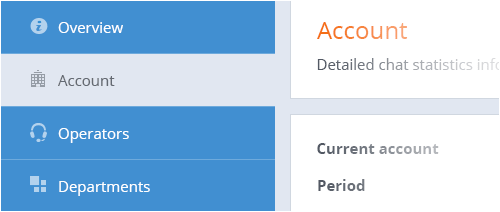
Verifique o desempenho de toda a empresa e de operadores/departamentos individuais . Número de chats realizados, taxa de aceitação e atraso médio de aceitação de chat, tempo online e offline e outras métricas estão disponíveis no nível da empresa, para cada operador e para cada departamento.
Obtenha relatórios de qualquer período
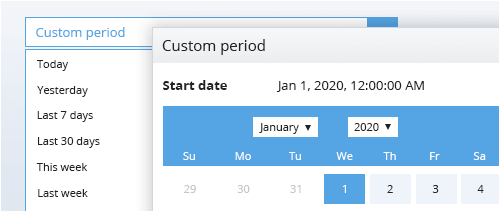
Os dados de estatísticas de chats estão disponíveis a partir do momento em que você habilitou esse recurso nas configurações de sua conta. Escolha a partir de um conjunto de períodos de relatório predefinidos ou defina um personalizado.
Escolha o detalhamento da linha do tempo
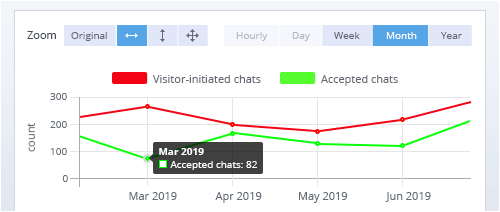
Visualize os dados generalizados para o período selecionado como uma tabela e expanda-os para gráficos de linha do tempo representando horas/dias/semanas/meses/anos. Dependendo do período do relatório, diferentes níveis de detalhes estão disponíveis. Aplique zoom na linha do tempo para ver momentos específicos.
Compare diferentes métricas em uma linha do tempo e encontre dependências
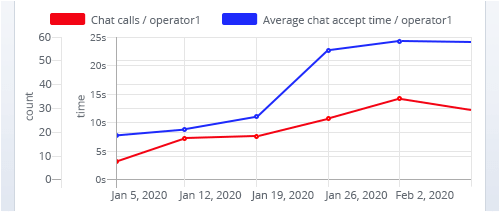
Nem sempre é óbvio como diferentes processos influenciam uns aos outros. Visualizar diferentes métricas de estatísticas na mesma linha do tempo permite descobrir as interconexões e padrões das métricas no fluxo de trabalho do chat.
Mais funcionalidades
Use os dados de referenciadores de bate-papo para saber em quais páginas seus visitantes mais precisam de ajuda. Analise as solicitações dos visitantes para melhorar a usabilidade das páginas.
Use os dados de tráfego do site para ver o número de carregamentos de cada página. Saiba quais páginas são mais solicitadas por seus visitantes.
Use os dados de referência do site para ver de onde vêm seus visitantes. Expanda sua rede de referência e acompanhe os resultados.
Exporte qualquer relatório para CSV para posterior processamento e pesquisa.
Use live chat statistics API to request the data you need and visualize it on your own dashboard in your company working environment.
